Access Management with the algoseek Sandbox
This tutorial provides a guide to obtaining and managing API keys for the algoseek Datasets API. It also provides information on setting up IP Subnets that define trusted networks allowed to use RESTful API services.
Getting Started: The algoseek Sandbox
The algoseek Sandbox is the centralized hub for managing your account identity, team organization, data subscriptions, and API access.
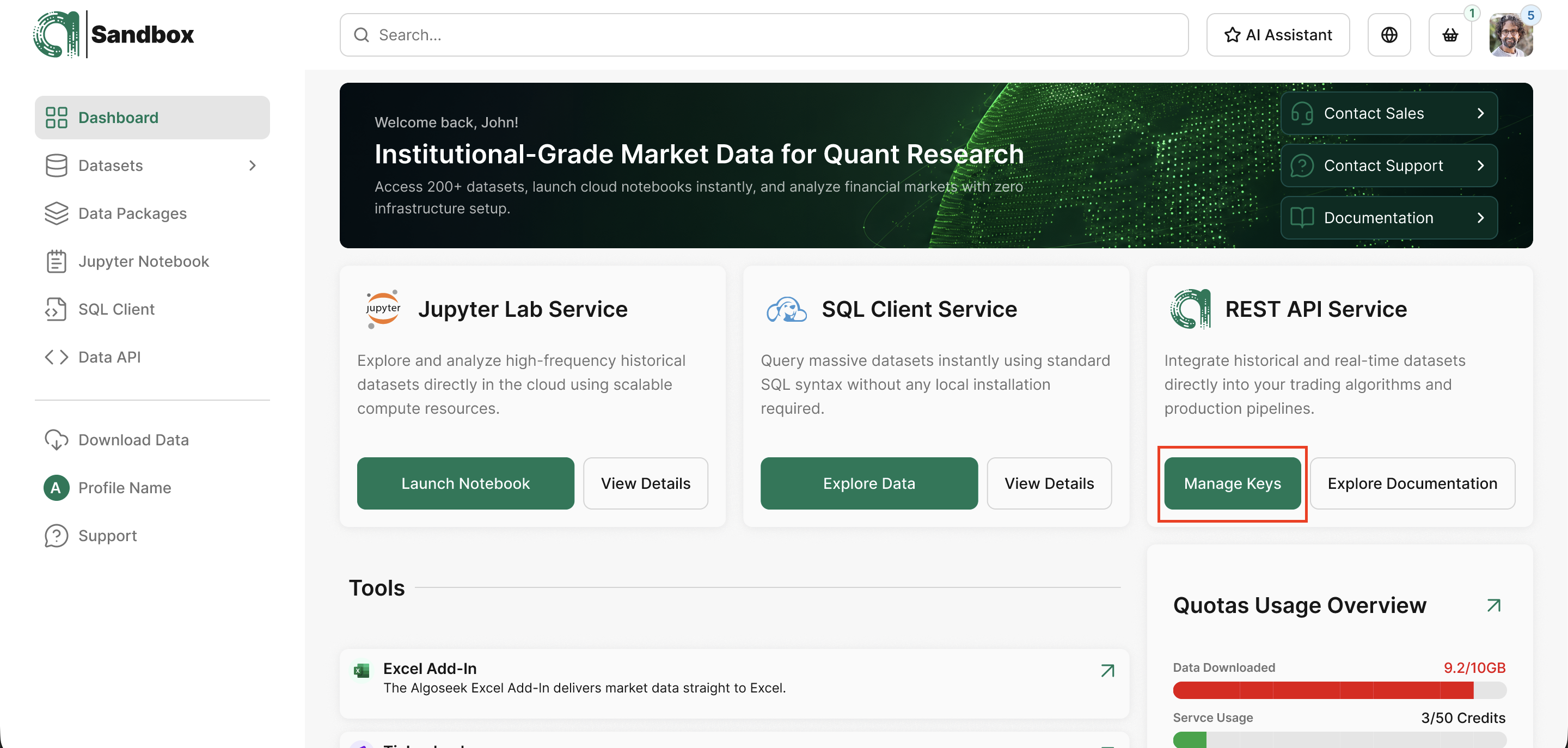
Managing API Keys
Before you can access algoseek data, you need to generate a unique API key. Your API key is the credential the server uses to identify you and decide which datasets you are allowed to see. It is issued out of band, typically by your account contact at algoseek, and looks like a short opaque string of letters, digits, hyphens, and underscores (roughly 35 characters). A single account can hold multiple keys Quotas are enforced at the account level; issuing one key per service buys you the ability to revoke a single service without invalidating the others.
Never check your API key into source control, never paste it into a public chat or issue tracker, and never embed it in client-side code shipped to a browser. The key gives any holder full read access to every dataset your account is entitled to, and its loss would consume your monthly quota until rotated.
The single best place to keep your key during development is an environment variable.
Creating an API Credential
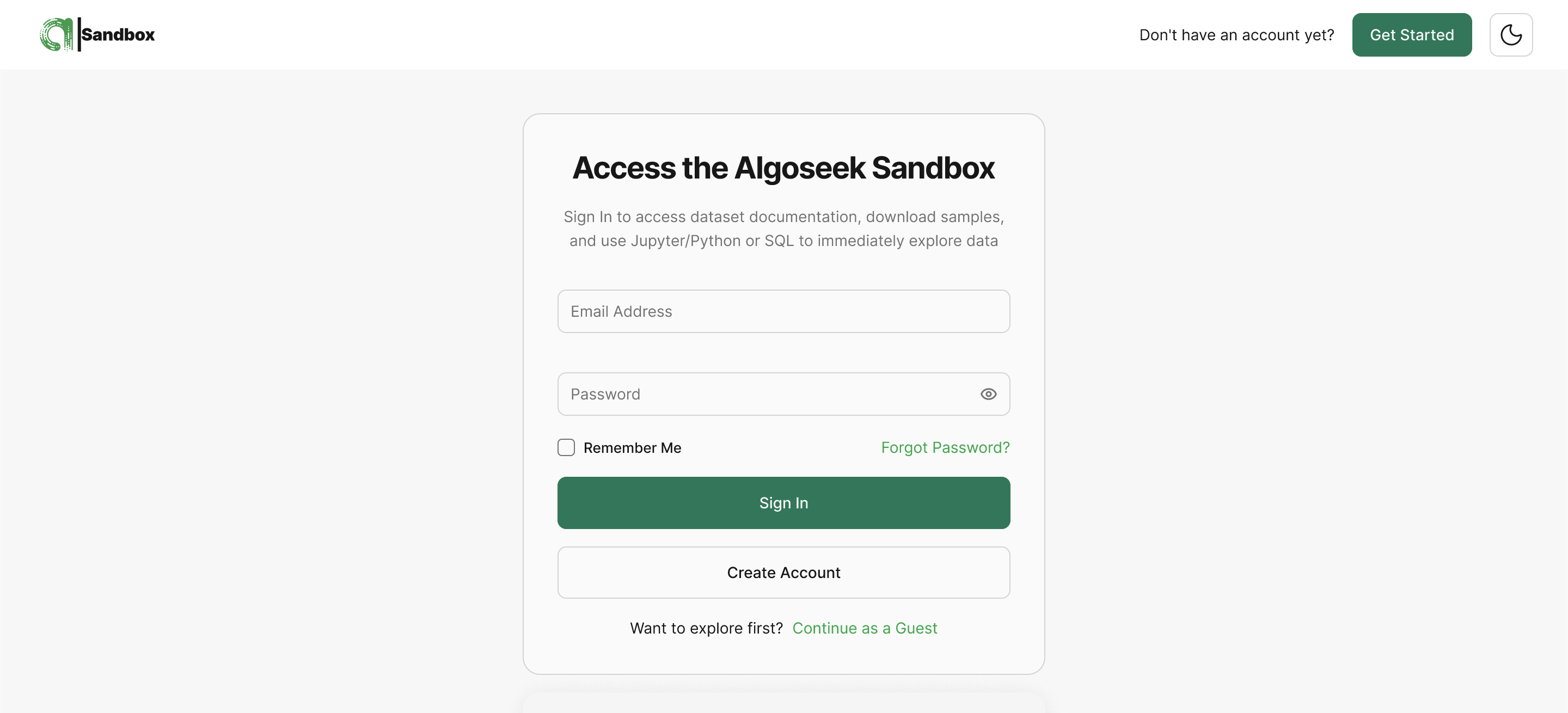
- Sign up or log in to your algoseek Sandbox.
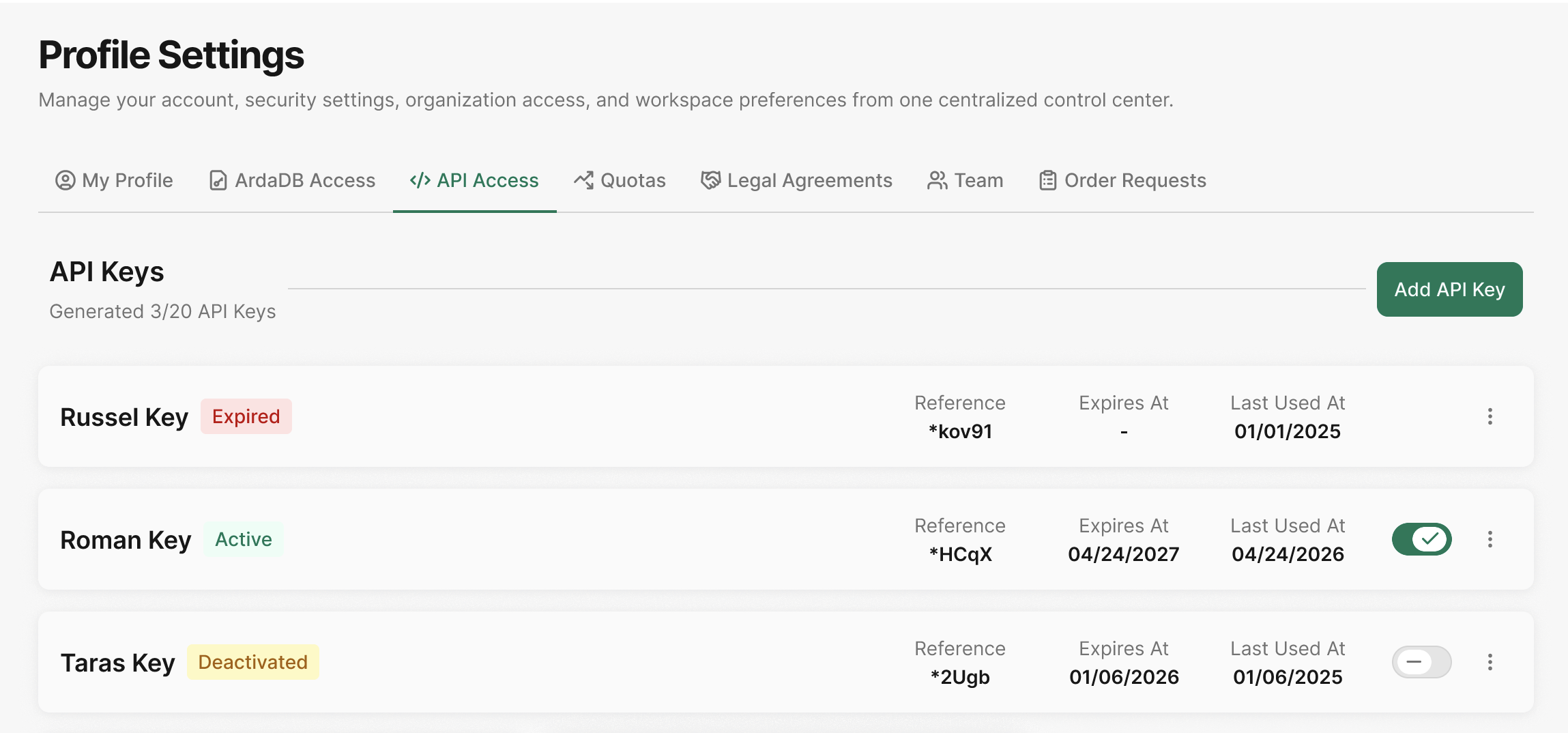
- Navigate to Profile Settings, then open the Team Authorization tab.
- Click + Generate New API Key.
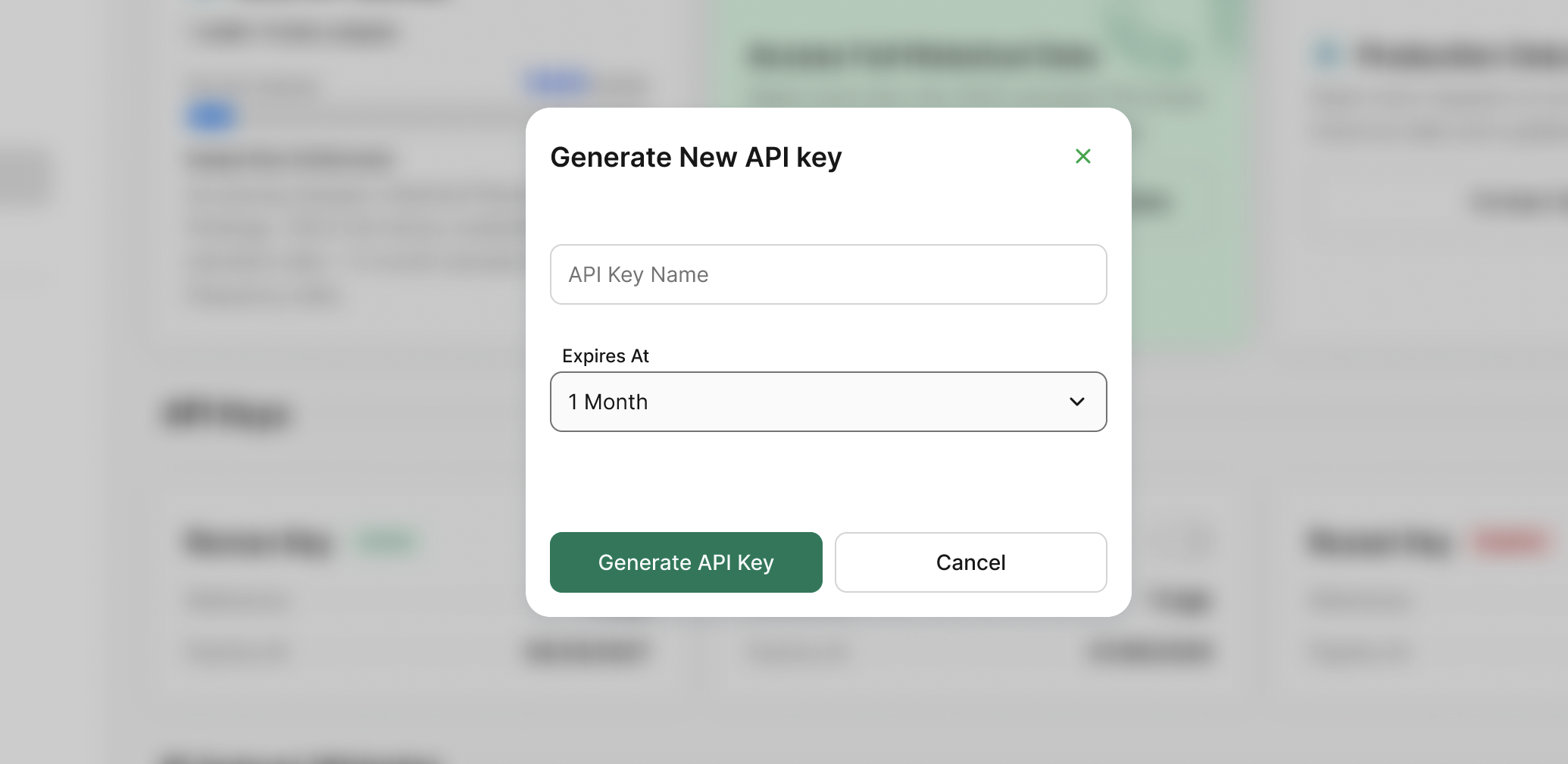
- Assign a Key Name to the API key (for example, "Backtesting-Alpha-Bot") to track ownership and intent.
- Specify the Expiration Period.
- Click Generate. The new API Key will be displayed. You have the option to display it and copy the key. Additionally, the new API key will be added to the API Keys list.
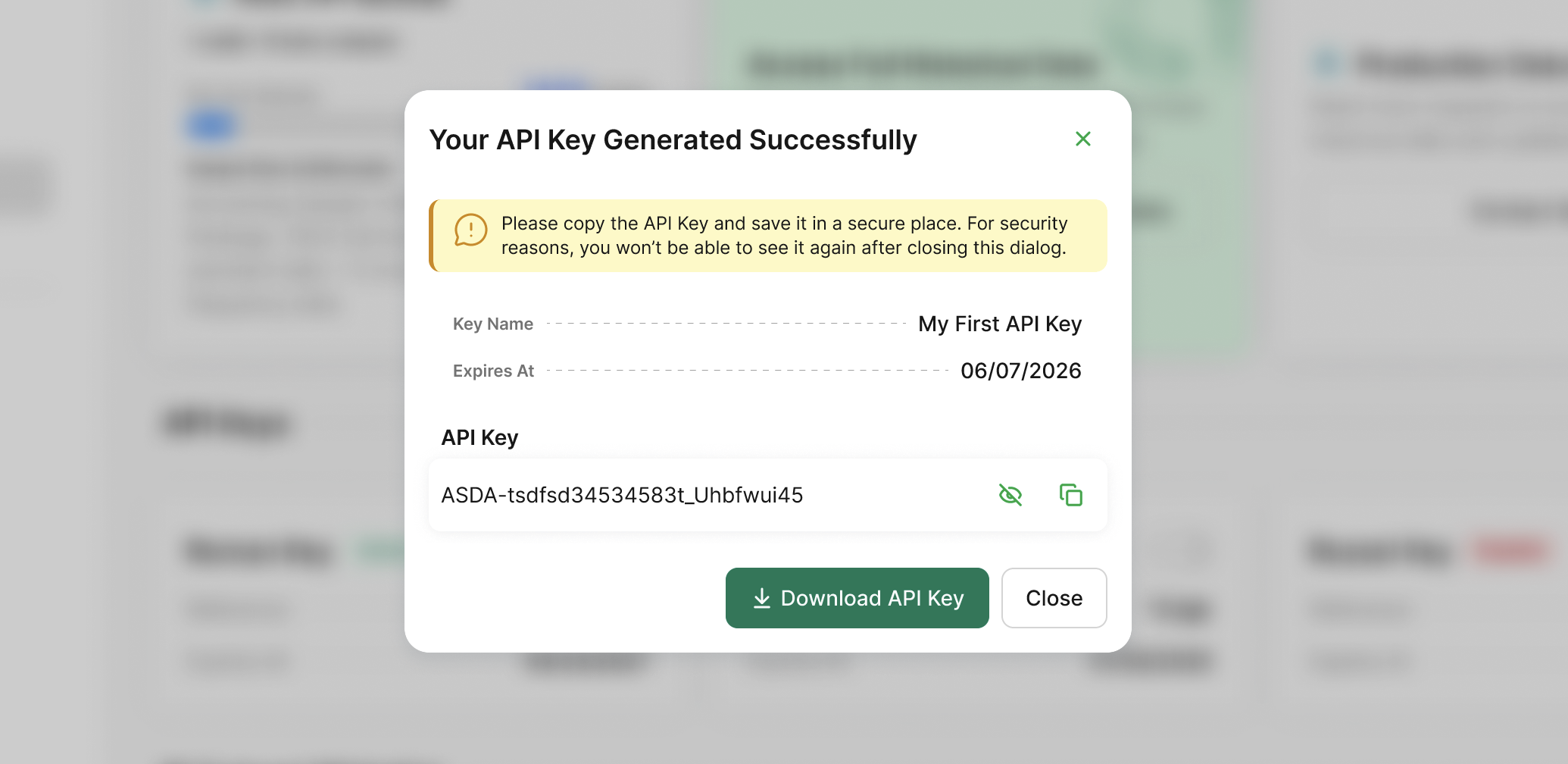
Please copy this API key and save it in a secure place. For security reasons, you won't be able to see it again after closing this dialog. Keep your API key secure; it provides full access to your subscription and account details.
Checking and Modifying Key States
The algoseek Sandbox provides a full listing of all API keys associated with your account.
- List Keys: In the Team Authorization tab, you can see all keys, their names, expiration dates, status, and the options to copy or delete a key.
- Copy: As noted above, once a key is created and listed, you won't be able to preview the actual API key string. Use the Copy option to copy the key and paste it into your application.
- Deactivate: Use the Deactivate option to disable the API key access. You will be able to Activate it again later.
Reset, Renew, and Rotating API Credentials
To maintain a high security posture, algoseek recommends regular Key Rotation.
Key Rotation
The Sandbox allows you to maintain multiple active keys simultaneously. To rotate a key without downtime:
- Generate a Secondary API Key.
- Update your application to use the new key.
- Once the new key is confirmed to be working, Revoke the old key in the Sandbox.
Make sure to use your new key before the expiration of your old key to prevent loss of access due to expired API keys.
Key Expiration
Every key is issued with an expires_at timestamp. You can view these expiration dates in the Sandbox API Keys list to ensure your automated systems are updated before a key becomes invalid.
Managing IP Address Restrictions
For institutional security, algoseek enforces IP whitelisting for all API requests. If a request is made from an unauthorized IP, the API will return a 403 Forbidden: IP address not allowed error.
-
Add IP/Subnets: In the Team Authorization tab, you can manage a list of allowed IP addresses or CIDR subnets under the IP Subnets list. Click + Create New IP Subnet to define trusted networks allowed to use RESTful API services.
-
Scope: IP restrictions are applied at the account identity level, meaning any API key generated for that account must originate from the whitelisted range.
-
Best Practice: Only whitelist the specific static IPs of your production servers. For local development, ensure your office or VPN IP is added before testing.
Authenticate Your Request
Once you have generated your API key and whitelisted your IP address, you can authenticate your requests.
The algoseek API requires authentication via a custom HTTP header. You must include your key in the X-API-KEY header for every request:
GET /v1/account/my HTTP/1.1
Host: https://api.algoseek.com
X-API-KEY: YOUR_API_KEY
Replace YOUR_API_KEY with your actual API key from your dashboard.
API Credential Security Tips
- Key Ownership: Assign keys to specific individuals or teams within the Sandbox to track which internal group is responsible for a key's usage and security.
- Expiration Reminders: Check the Sandbox regularly for upcoming expirations.
- Confidentiality: Never hardcode API keys in public repositories. Use environment variables and secret management tools to store your keys.
- Revocation: If an
invalid_api_keyerror occurs, first verify the key's status in the Sandbox to ensure it wasn't disabled due to a security audit or expired status.